

iPhone vs Android DDJ-FLX2 — that’s the question many DJs ask in 2025.
Hey DJs! Let’s keep it real. Not everyone is ready to drop a big chunk of cash on the latest iPhone just to run a set. I hear it all the time: “Will my Android phone work with the AlphaTheta DDJ‑FLX2?” It’s a fair question, and honestly, one that deserves a clear, honest answer. So in this article, I’m breaking it down for you – the good, the bad, and the practical. No hype, no fluff, just DJ‑to‑DJ advice so you can decide what works best for you in 2025.
This iPhone vs Android DDJ-FLX2 debate is one every modern DJ eventually faces when choosing their setup.
Why the iPhone Is Still the Safe Bet
If reliability is your number one priority, the iPhone continues to shine. Apple designs both the hardware and the software, which means everything runs like a well‑oiled machine. With an iPhone 15 connected to your DDJ‑FLX2, you literally plug in a USB‑C cable and you’re ready to rock. No clunky adapters, no mysterious glitches. Rekordbox and djay apps run smooth as butter, and you’re much less likely to deal with latency or sudden audio dropouts.
For DJs who get anxious about their gear freezing up mid‑set, the iPhone is peace of mind. The only downside? The price tag. iPhones aren’t cheap, and not everyone has the budget to pick one up, especially beginners still finding their groove.
Android: A Mix of Opportunity and Risk
Now, Android. On paper, it’s appealing: more brands, more choice, and way more affordable than an iPhone. But here’s the tricky part – Android is fragmented. Every manufacturer builds phones with different processors, USB‑C chips, and audio systems. That means performance is inconsistent. Even Pioneer/AlphaTheta warns us: “Operation isn’t guaranteed on all types and models of mobile devices and tablets.”
That’s not just fine print – it’s the truth. Some Samsung models run great, while others choke when you try to cue tracks or route audio. So yes, Android can work, but it’s never a guaranteed slam dunk.
The Strongest Android Contenders for iPhone vs Android DDJ-FLX2 DJs
When it comes to iPhone vs Android DDJ-FLX2 performance, the Google Pixel series clearly leads the pack among Android devices. Still, there are bright spots. Google Pixel phones – especially the Pixel 6a and Pixel 7a – stand out. Why? Because Google, like Apple, controls both the hardware and the software. That balance makes them far more reliable for audio tasks than many random budget Androids.
Google Pixel 6a (budget choice):
A proven, affordable phone that works with Rekordbox and the DDJ-FLX2. Just note that updates only run until 2027, so it’s not forever future-proof. For the full specs and details, check the official Google Pixel phones page in English. This page covers the Pixel 6a and other Pixel models side by side.
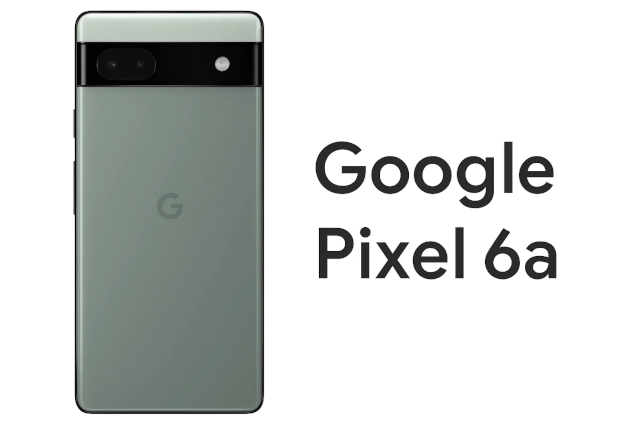
For more information Google Pixel 6a!
Google Pixel 7a (smarter long-term choice):
A bit pricier, but with stronger performance and updates until at least 2028. For DJs who want stability for years to come, this is the safer bet. You can also explore what makes Pixel 7a unique in this English breakdownon Google’s site. It highlights the performance and long-term software support DJs really need.
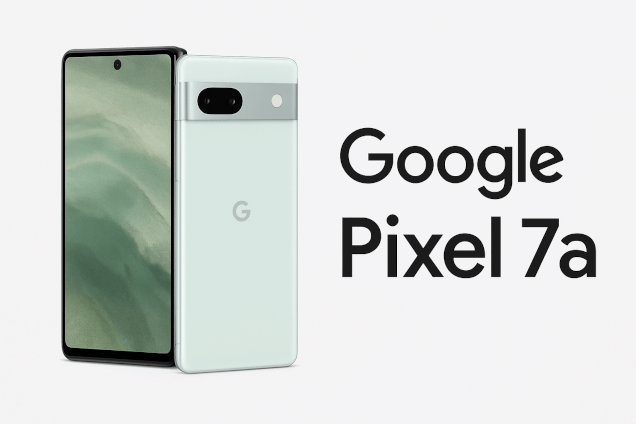
For more information about the Google Pixel 7a!
Samsung’s mid‑range Galaxy A-series, like the A56 5G, is also worth a look if budget is tight. They’re affordable and powerful enough to handle DJ apps. Just remember: if you’re using Android for live gigs, test it thoroughly at home before relying on it in front of a crowd. Nothing kills the vibe faster than tech issues mid‑set.
This shows why the iPhone vs Android DDJ-FLX2 choice isn’t just about price, but about how much stability you demand from your setup.
Rekordbox and Serato: Know the Difference
Here’s the compatibility rundown. The DDJ‑FLX2 supports Rekordbox Mobile on Android devices running version 11 or newer. That means you can stream from platforms like Tidal or Beatport, or keep offline tracks loaded and ready. The djay app also runs solidly on many Android phones.
Serato, though, is another story. Serato DJ Lite and Pro are designed for desktop – Windows and Mac. There is no official Serato app for Android. So if your plan is to use Serato with the FLX2, you’ll need a laptop in the mix.
Pro Tips for Android DJs
If you’re going to roll with Android, more power to you – but don’t cut corners. Here are some survival tips to keep your set running smooth:
• Use a legit, high‑quality USB‑C cable. Cheap ones will betray you.
• Keep your DJ apps (Rekordbox or djay) fully updated.
• Make sure your audio routes through the controller, not your phone speaker.
• Test cueing, effects, and latency at home before you step on stage.
• Always, always bring a backup plan – whether that’s a second device or a lightweight laptop.
Nancy’s Final Take
At the end of the day, the iPhone vs Android DDJ-FLX2 question comes down to budget, stability, and how much risk you’re willing to take on stage. So, what’s the smarter move in 2025? If stability is your number one priority, the iPhone is the clear winner. It just works, every time. But if you’re on a budget, or if you already live in the Android world, a Google Pixel is your safest bet. Samsung might work too, but it’s riskier – and you don’t want to find that out during someone’s wedding set.
Here’s the heart of it: DJ life is about the fun, the creativity, and the connection with your crowd. Whether you’ve got an expensive iPhone or a budget‑friendly Android, the key is preparation. If you put in the practice, run your tests, and come prepared, you’ll crush your set every time.
Keep it spinning,
Keep it simple,
With love,
DJ Nancy ♥ 🎵